
Hello there classic build lovers of Roblox, WoodReviewer, and today is going to be a bit of a tangent. You see, lately people have asked me for my thoughts on how studs are implemented in games that are trying to go for a classic/retro feel. For those of you that struggle with words, my name is WOODReviewer. Keyword on the wood part.

I am not StudReviewer. I am not SkyBoxReviewer. I am not MemoryLeakReviewer. I am not Use1024x1024TextureOn1Studx1StudMeshReviewer. I exist to review wood because that is my specialty and if I were to review everything, well, that would be too much to review. However due to the overwhelming demand on this topic I won’t review any game, but I will at least help explain why certain things in the classic Roblox style are done. You see, to understand what the old Roblox style is you must first understand why we used to do things the way we did.
DISCLAIMER
One thing to note is that there may be some factual errors in this post. I have done my best to research facts when appropriate, but between the old forums being nuked, the old Roblox blog being nuked, and the fact that I am talking about stuff that happened 16-17 years ago, which is older than a good portion of the users reading this, means that thing are a bit fuzzy. Additionally, I will say some things that while may have been true to me, an above average Roblox developer with multiple front page games, but not for the elite builders of the era. For example, while I might say “The thinnest you could make a plate was .4 studs” while that might be true for most people, there is always a chance that people like Stravant/xLEGOx and Anaminus somehow broke Roblox and were able to manage it.
HOW WE BUILT
The most important thing to understand about old Roblox is that a fair few devs did not use edit mode back in the day. A good portion did not even use Roblox Studio. You see, while today the Roblox Player that we play games in and Roblox Studio that we use to make games in are entirely different, they used to be basically the same. Additionally, each had multiple ways to interact with Roblox. Starting off with the most user friendly there was Play mode. This is basically the current play mode we all know and love now. Next there was Play Solo mode. This was available on uncopylocked games and your own games and allowed you to basically have a private server where you could insert models, tools, and save the game to Roblox or your PC. The only caveat was that the only tools you had were the default Roblox resize/drag/copy tools like you find in Build a Boat for Treasure now.

Next you had Build Mode. This was inside of Roblox Studio, however instead of being a free camera you could walk around. However, because it was “Live” physics were in effect so if you deleted your baseplate and all your parts fell into the void they were gone unless they were anchored. Oh, and also there was no undo button. The final way to build was in the standard Edit mode that we still know and love today.
EDIT MODE LIMITATIONS
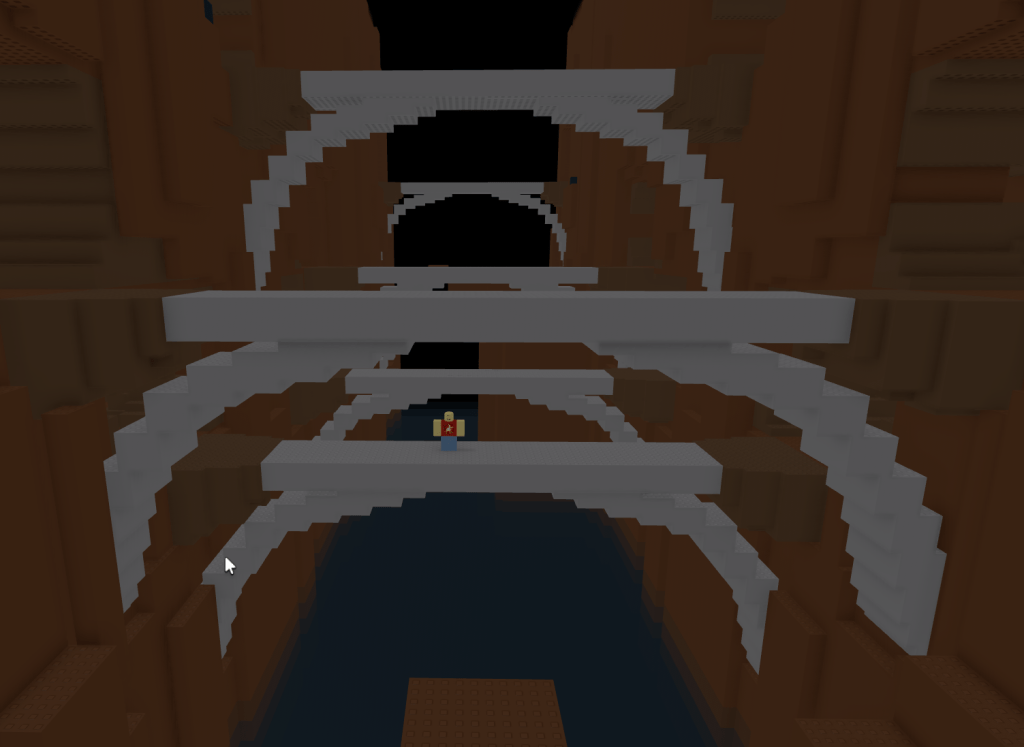
The next thing that we need to discuss is limitations in Roblox Studio, specificly Edit Mode. Why? Because it will make sense why people used Build Mode despite the drawbacks. The first and most obvious is that there wasn’t a rotate tool. I mean, yes, you could rotate bricks 90 degrees, but that was it. Now if you were a more advanced power users you could use commands to manually edit the position and rotation of a part, but you had to recopy the code every time you made a change an manually enter in the new rotation/coordinates. This was called “editing the C-Frame” and if you ever dig into old Roblox stuff it is why there was such a divide between C-Framers who had rotated parts vs regular builders who didn’t.

So, how did we get around this? Myself and many other builders would build in Build Mode with a rotate tool where every time you clicked on a part it would rotate by X degrees, meaning if you wanted a part to be at a 45 degree angle and it was set to rotate by 5 degrees you had to click on it 9 times. This was the only way for the tool to work because GUIs for more advanced tools weren’t around yet.

The second major limitation was that you could not resize nor move parts if they intersected. This meant that if you were trying to move or resize a part so that the resulting movement caused a part to be inside another Roblox would just refuse to do it. This included trying to change a parts coordinates/rotation using the properties window. Again, by using C-Framing you could get around this, but it involved manually typing in the entire coordinates for the parts you were moving.

For those of us who didn’t do that, there were some hacks we could use. My personal choice was to rotate bricks so they were outside of the collision area, then to rotate them back together. How does this work?
Let’s say I wanted to have a brick act as a ramp between two parts of different elevations. I would first get the parts in the rough position I wanted them either in Edit or Build mode.

Next using my rotate tools I would rotate the two parts at the side by 90 degrees.
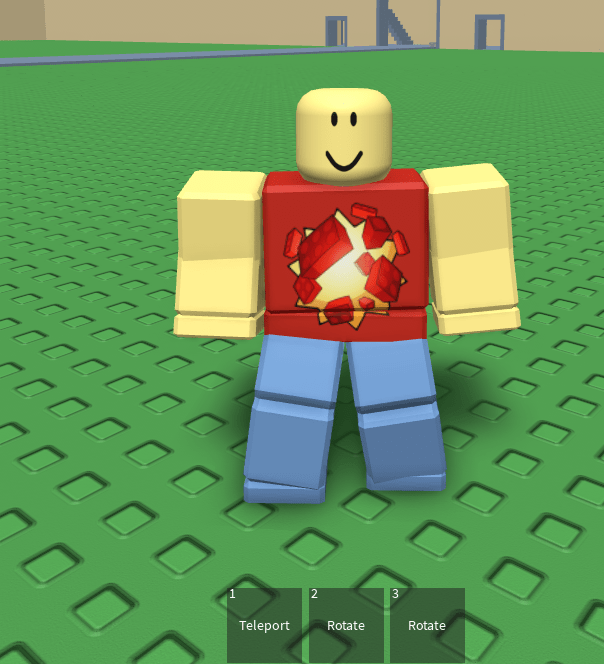
Bonus picture, this is my old Build Tools set up from 2009, where I had one rotate tool for rotating in one direction by X degrees, one for rotating in the other direction by the same X degrees, and one for rotating by 90 degrees. Also you controlled what axis you rotated when you clicked on a part by using X Y and Z as keybinds.
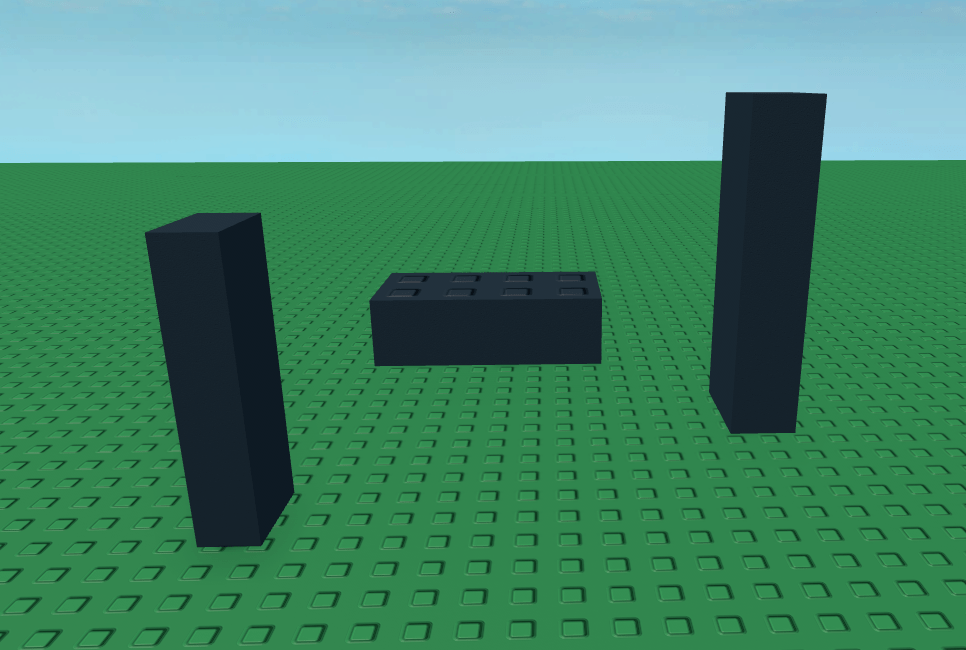
Now that the ramp was clear I would then rotate and move the ramp into the position I desired.

And then rotate the sides back to where they were originally.

And then repeat this until it was correct enough.
I would then rotate the side bricks and adjust the exact position until it was where I wanted it to be.
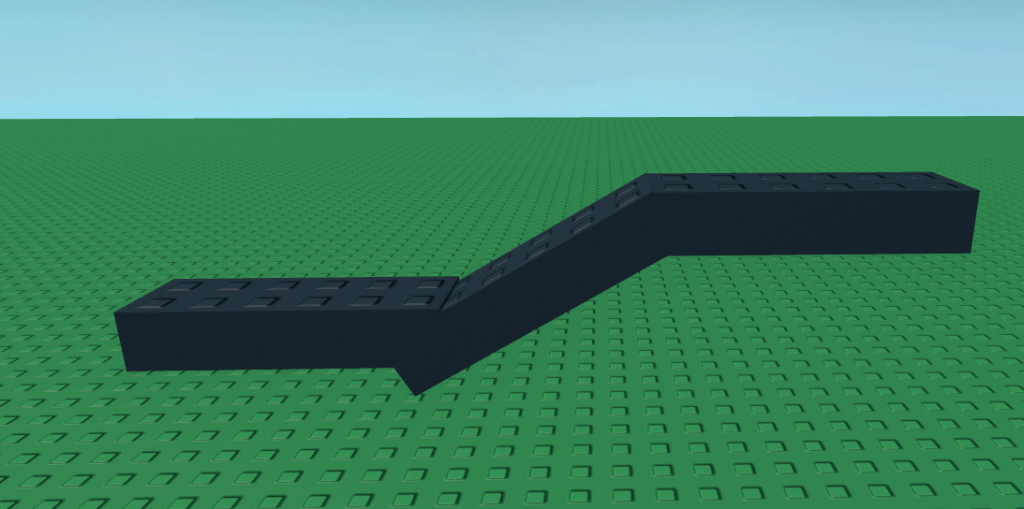
Sounds difficult and time consuming? Yes. Yes it was. And as you can see there were often gaps/overhangs because you just couldn’t get it close enough with the limited size of bricks.
“Limited size of bricks?”
Oh yes, it gets worse.
FORM FACTOR
To those of you who were around back in this era I am sorry for the PTSD that Form Factor caused you. To those of you who are new, Form Factor dictated how large a brick could be based on the three different possible sizes.
Brick- Could be resized in the Y axis by 1.2 studs, X and Z axis by 1 stud.

Plate- Could be resized on the Y axis by .4 studs, X and Z axis by 1 stud.
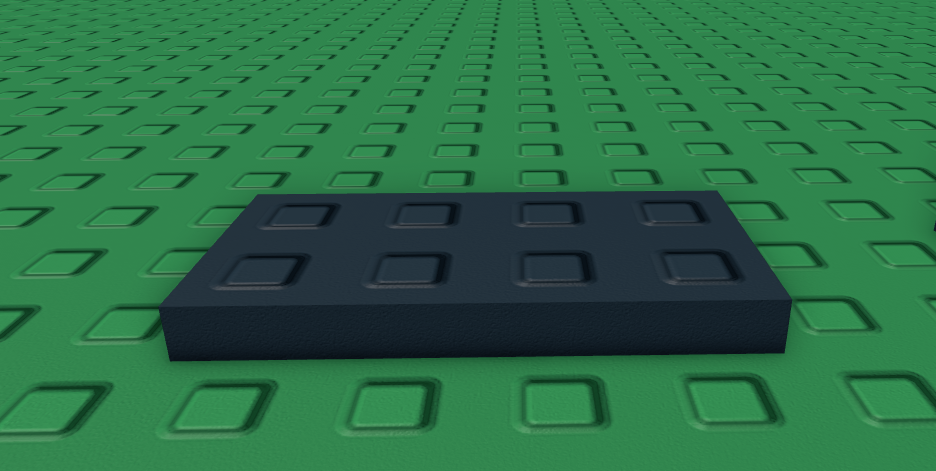
Symmetrical- Could be resized on any axis by 1 stud.
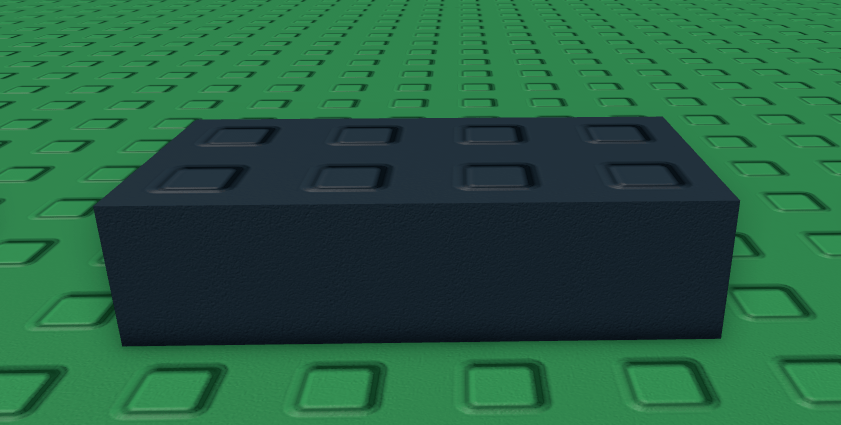
Now I am sure some of you are wondering “WoodReviewer, why even have bricks and not all symmetrical?” Good question.

“WoodReviewer, what if you want a brick that is .8 studs tall?”
Well, you can’t.
“What if I want a brick that is 1.6 studs tall?”
Resize a plate, you can’t use a brick.
“What if I want a brick that is 2.5×2.5×2.5 studs?”
Well, you can’t.
“What if I want a brick that was .2 studs tall?”
Well, you can’t.
Form Factor, until the Custom option that allowed you to resize bricks down to .2 studs and then resize them by .1 studs, basically locked everyone into a fairly strict building scale that everyone had to use.
SURFACES
In old Roblox there were two ways to make games: The lame way where everything was anchored, or the cool way where you used joints to make stuff and had the game feature a ton of destructible objects. To get the second way the main way was with Surface Joints, aka studs, welds, and other. But first you need to understand how different surfaces worked, and why you would use them.

Studs
The classic studs, they would connect when next to any inlet.

Inlets
The bottom of a block, they were needed to actually connect with any studs.
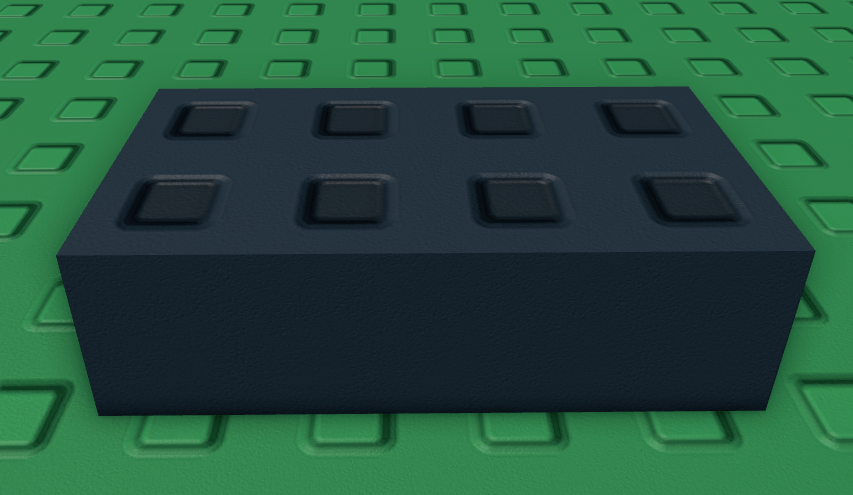
Weld
Connects to any other surface.

Glue
Like the weld but worse. It was so bad that I have no screenshots of it and it was removed from Studio so yeah.
Hinge
Creates and axis point that the part with the hinge on it will rotate around

Motor
The hinge but it could rotate parts whereas the hinge was static.
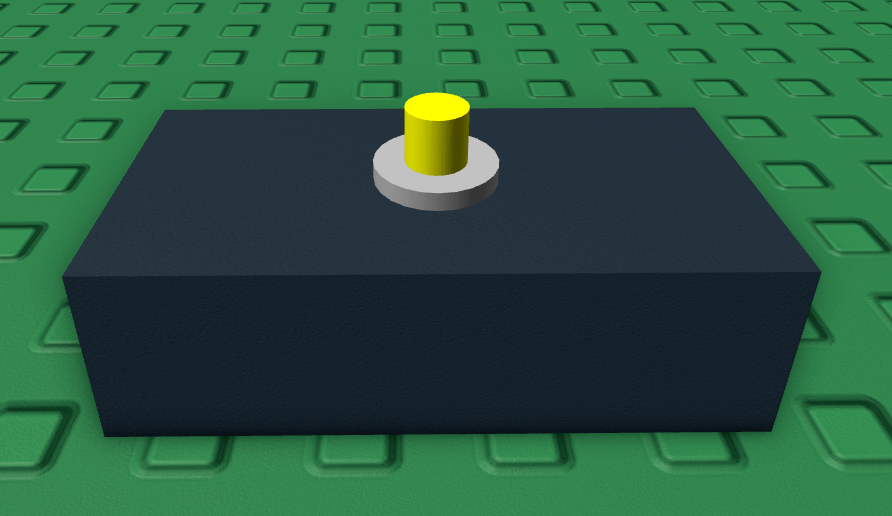
Universal
Like studs and inlets combined, will connect to any other surface with the universal, inlet, or stud surface. They came towards the very end of the “classic” era of Roblox in 2009, though.
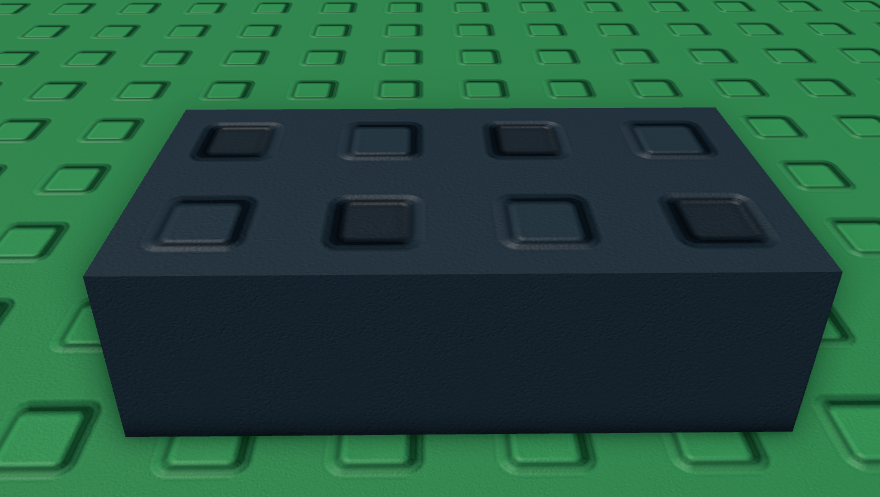
Now with all this taken into account, why were studs so popular? Well, for one they looked good. Two, they were the default and people used them. And three, welds had issues. Remember, old Roblox was mainly a building game, so most games had some type of build tools. Sure, welds seemed like they would be great but they had some problems. For one, if you put for example cylinder on a weld, like you would for a vehicle, that would weld the vehicle in-place, which is bad for a car.
Secondly and more importantly was the flybug in building games.
What was FlyBug? FlyBug was caused by people welding bricks to their feet, which then caused the player to fly. Want a better explanation? Well let’s say you weld a brick to your foot.
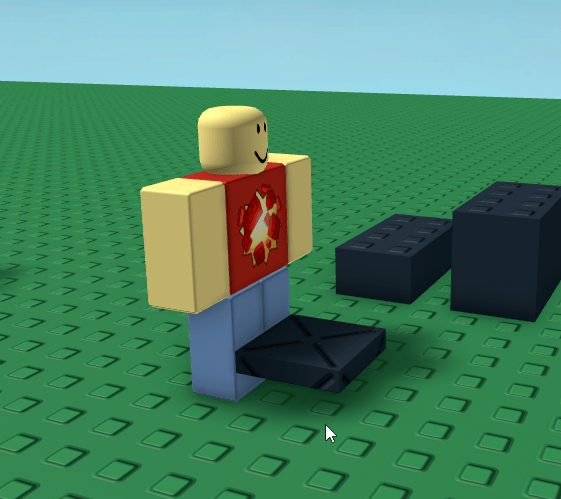
Due to how the Roblox humanoid handled stairs, when it detected the welded brick it would walk up it, lifting your avatar up.

Then the walking animation would go the other way and you would basically stay level
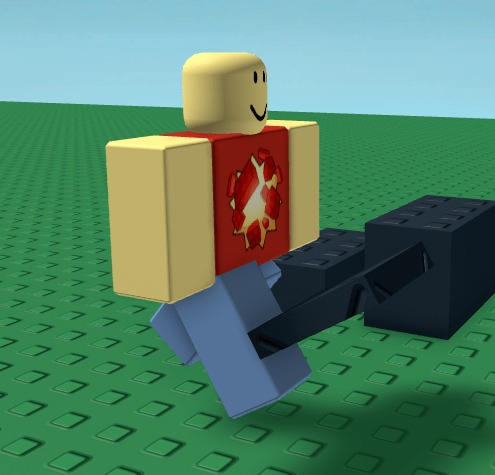
Then when you took another step it would detect the brick again and try and walk up again.

This caused your avatar to act like it was always climbing up stairs when moving forward, causing the player to fly. Sure, gaining one stud per step might no seem like much, but as the animation would repeat 2-3 times per second it would add up.
PHYSICS
As most of the older places on Roblox were built with some level of destruction in mind some amount of detail needed to be paid in how to make the levels actually work. For one, larger bricks wouldn’t work in games that features destroyable buildings because they would be too massive to actually move when destroyed. This meant that builders often used smaller bricks in their builds rather than one massive part.

Additionally, things were often solid with more than one connecting point. A staircase could only have the stairs connect together, but they often had extra supports so simply blowing up the bottom and top of the stairs wouldn’t collapse the entire thing.

This made things look chunky and thick. Physics were also just a bit janky back then, as in you could clip through corners if the walls were 1 stud thick, which let to people regularly using extra thick walls to prevent this.
BRICK COLORS
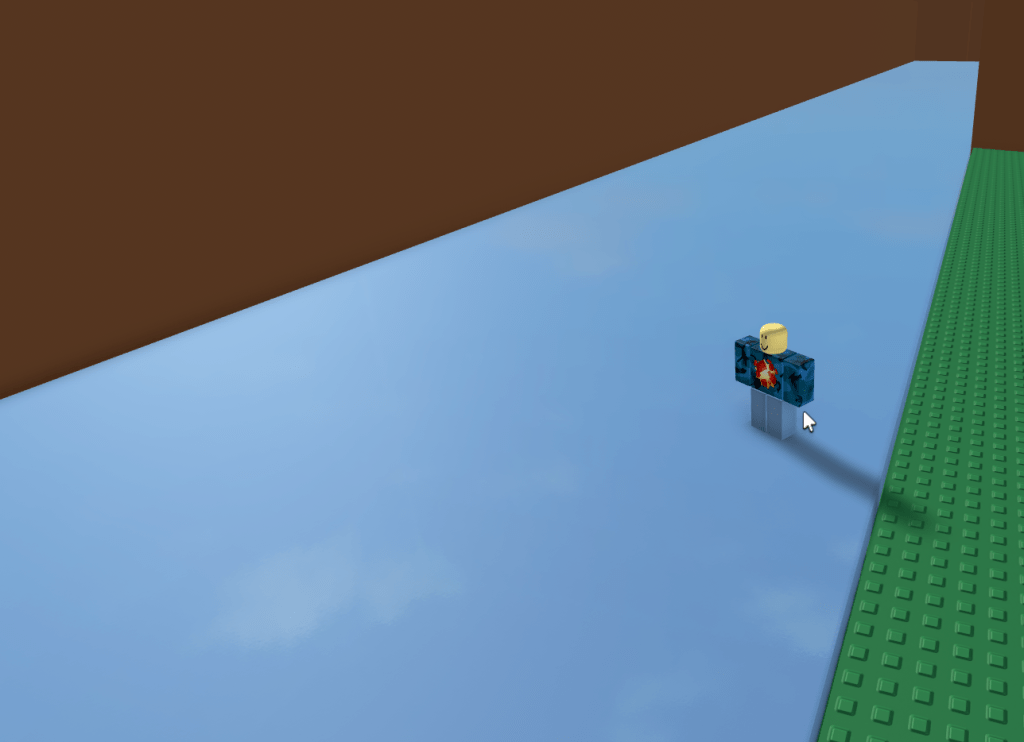
Another thing that is rarely discussed when people mention the old Roblox aesthetic is brick colors. Today we are used to color3 that can more or less give us any color we desire. But in the classic era of Roblox we didn’t have that. We only had BrickColor. And not even the modern brick colors we know and love. Nor the 64 that many old builders remember. We just had 32. Below is a picture of the current Roblox Studio BrickColor selector with all the colors added after 2008 removed.

While we did have the ability to add reflectance to parts to make them look a bit shiny, all that mostly did was make the parts look a bit more duller in reality. If anything it served to act as a pseudo early metal texture than anything else.
DECALS
One thing that often gets overlooked when old Roblox gets bought up is decal use. Yes, many of the Roblox games had only minimal decals on billboards and other small features, but other games used them more liberally. Whether it it was VIP only doors, arrows telling players where to go, or just random memes added into the level decals were a major part of these old games.

Of course even these decals had a certain look. It was 2008. Most people were using MS paint and stolen images from Google to make decals, a far cry from games today which have a dedicated texture maker using Photoshop/Illustrator to make high quality images. Additionally, decals used to be limited to 256 by 256 pixels, which also limited their quality.
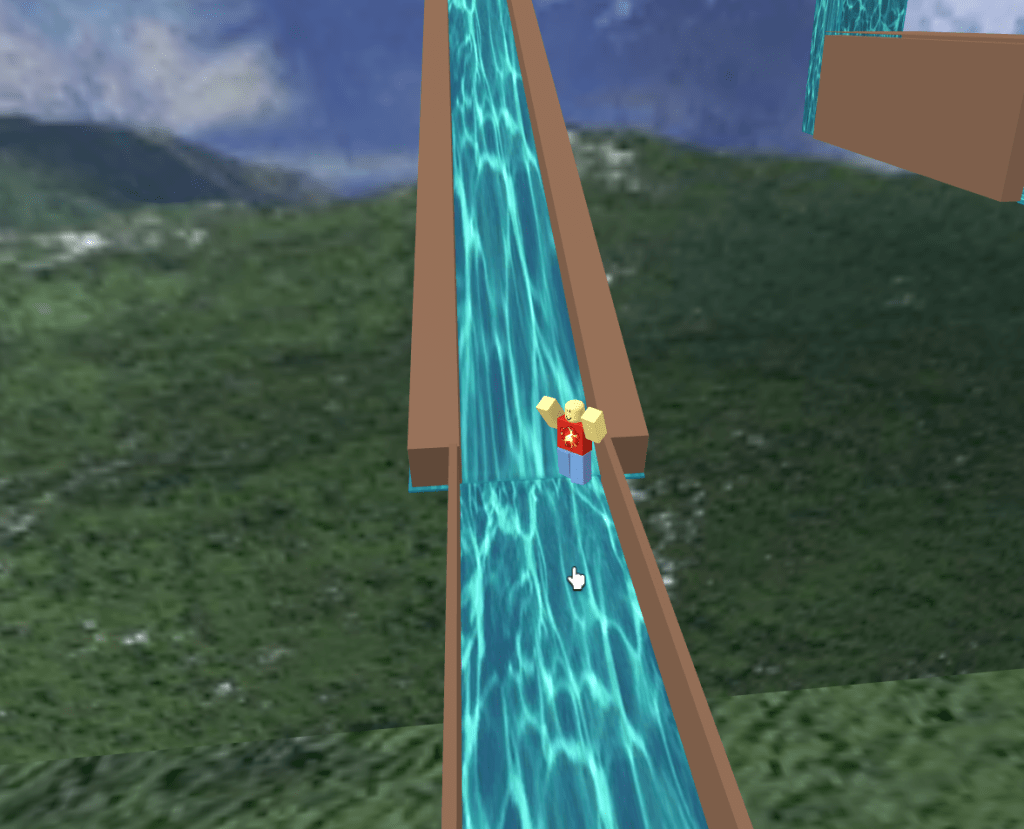
Although you could get around this by uploading a decal as a shirt texture allowing you to upload the image in 585 by 559 pixels and then copy that asset URL to be used as a decal. Yes, things were really restrictive.

ASSETT REUSE
One thing that was common throughout old Roblox was the heavy use of free models. While today it is frowned upon by devs to use a free model, and to a certain point back then it was as well, everyone used them. Every game had the same paintball gun Roblox uploaded, every game had the same VIP door system, every game used Stealth Pilots plane/car controls, and a Hummer was the most used vehicle in every game.


Additionally because there was no mesh uploading everyone reused what few meshes we had. The Vegetable Hat and Cloud Hat saw their meshes reused in every game that needed a plant or a cloud. People who wanted a bush of a branch of leaves would also reused the cloud mesh colored green to achieve the effect of a mass of leaves.

Also remember earlier when I mentioned Stravant/Anaminus not being typical builders? They found a way to trick Roblox into uploading a bunch of meshes that other people then used in their building. These meshes are hard to show because Roblox did purge a bunch, but they still exist some old images.
BEVELS
Yeah I’m going to be honest, my computer was a potato back in 2008 so I have no memory/screenshots of bevels from back then, and as I believe they were based on graphics settings I’m pretty sure they were based on graphics settings I’m pretty sure most people back then didn’t see them either. Still, they were a thing that if you want the true look you should include. Or not include. Most people back then had toasters for PCs.
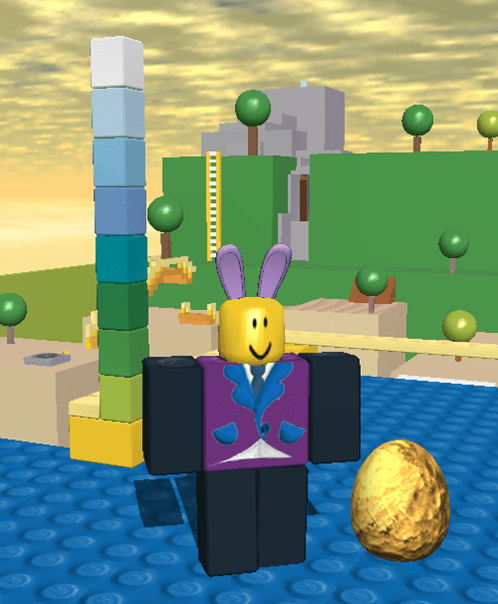
PERFORMANCE LIMITS
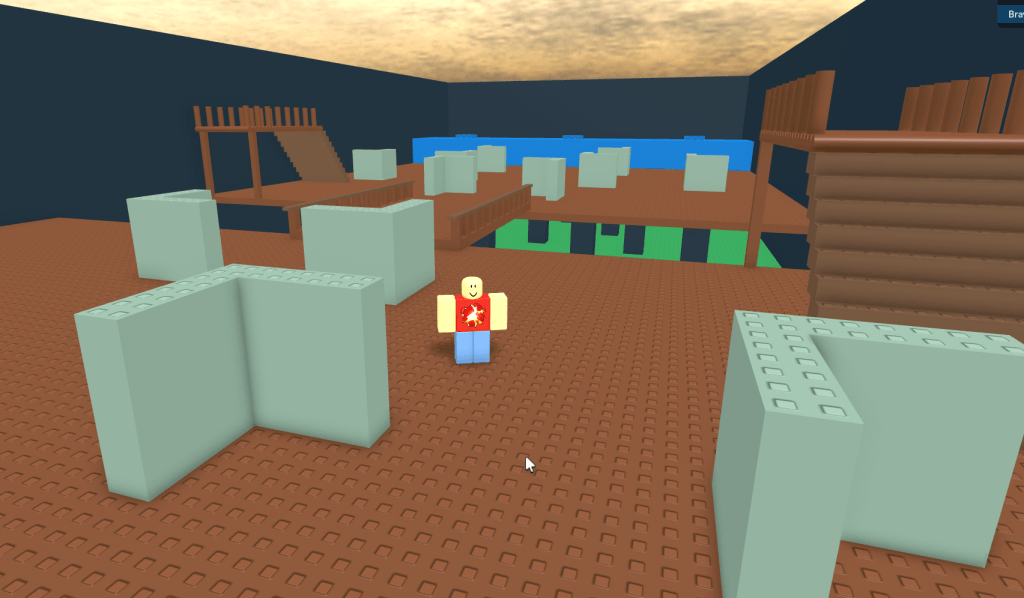
Speaking of no one seeing bevels because everyone had toasters, another result of everyone having toasters was that games were much smaller. Take the Angel of Truth. It was an old showcase that would regularly crash Roblox and even cause bluescreens of death on bad computers simply by loading into the game. It has 8,000 parts.

Nowadays games can have tens of thousands of parts and not crash Roblox. As a result, games were much smaller and more compact. This gave older games a much more cozy feel, where the entire map was a few hundred studs. That, plus the lack of teleporting to different games meant worlds were much smaller.
SCRIPTING LIMITATIONS
This may sound weird being featured in a blog about building on old Roblox, but scripting limitations also helped shaped how we made games. Remember, GUIs weren’t a thing, so anything in-game had to either be made via a built blocks in a game, decals, humanoids, messages or hints.
Making messages out of bricks is what it sounds like: You would physically build out the message you wanted out of bricks.

Humanoids were used more for story and explanation, and while modern Roblox devs would shake in fear of having a half dozen humanoids scattered around a game to give info to players, that is how we did it back then.
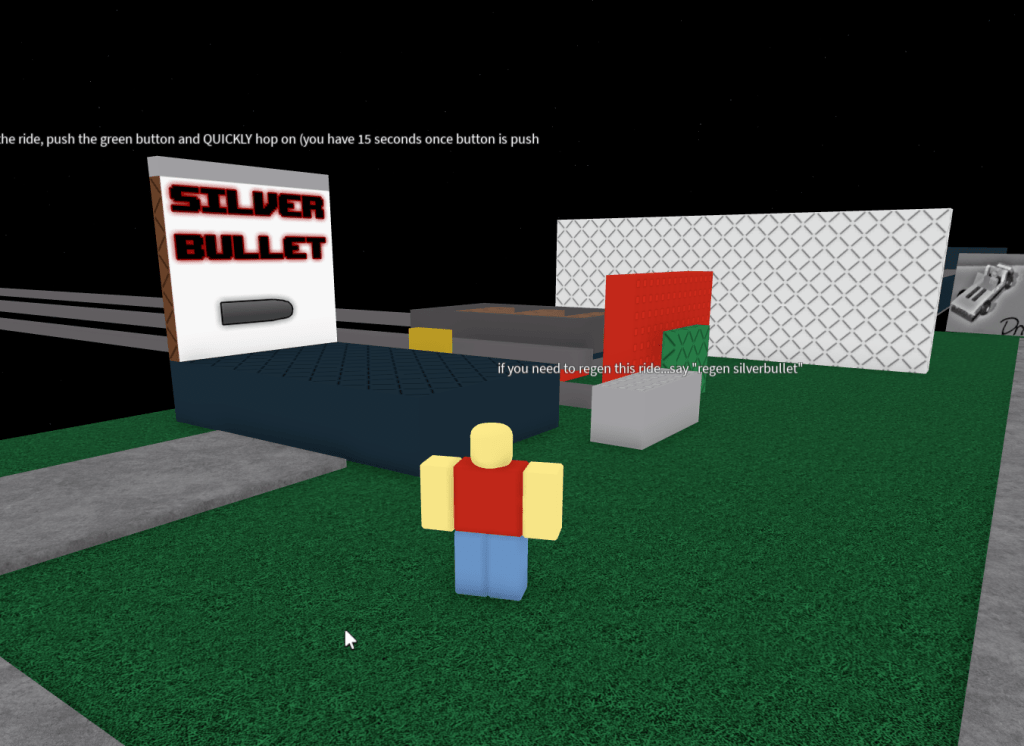
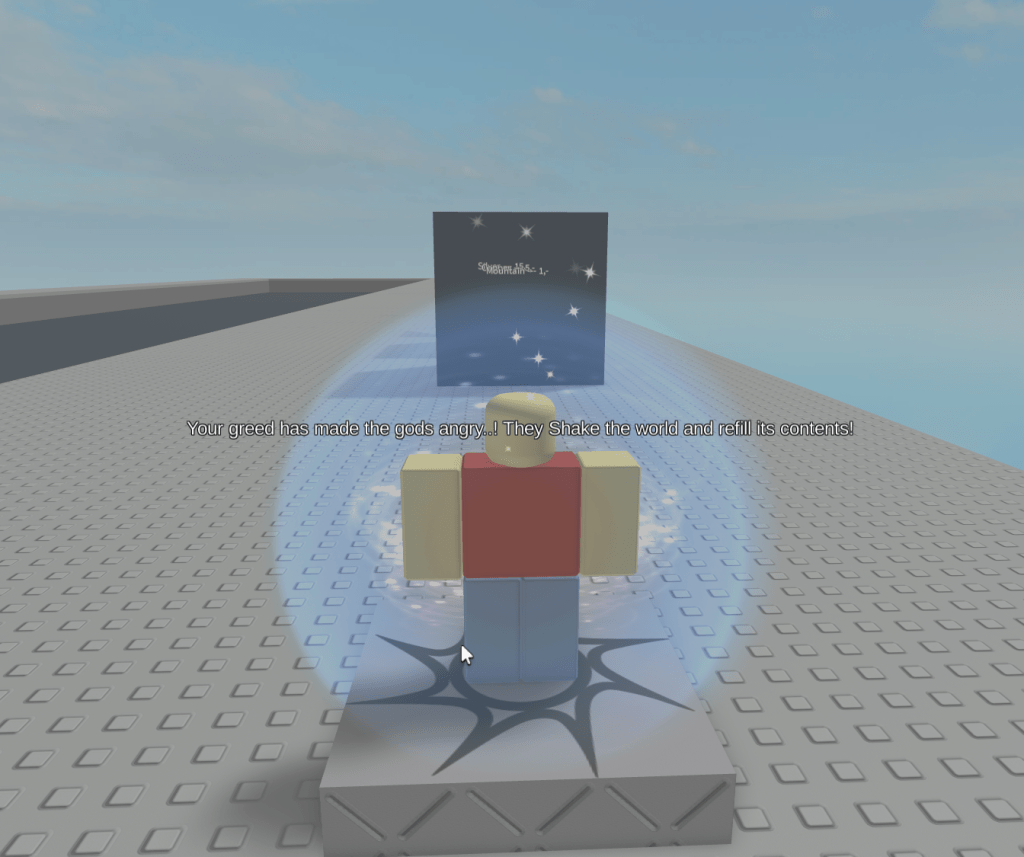
Messages are the screen-wide messages that pop up and tell the player something. These were for short-length messages such as when a round began or ended, or most famously when the destroyed terrain of a level respawned.
Hints are the black bars that appear at the top of the screen telling players what to do. These were less obvious than Messages, but served the same basic purpose without taking up the entire screen. Also they were used to let the players know that the creator of this game thanks xLEGOx for their minecart.
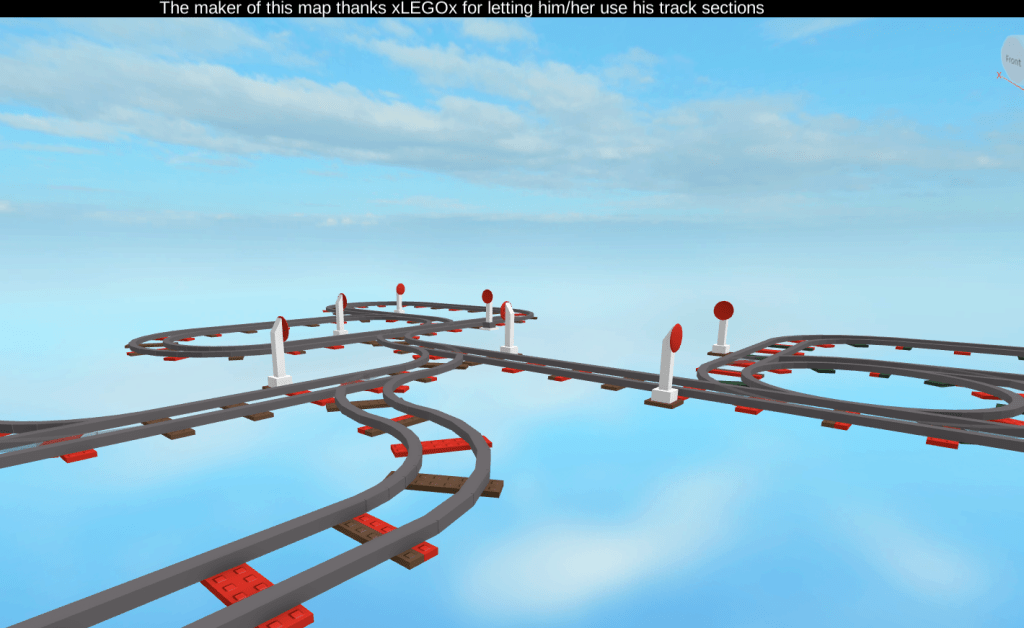
One final addition to this is that old Roblox was more physically interactive. Regen buttons were actual buttons you walked up to and stood on, click buttons were a thing to open doors, to get new tools you physically walked to a dispenser to get them. Even turrets in games were physically tuned by the player and then shot when the player stepped on a button or physically touch a button to select a class.

ROBLOX CHANGES
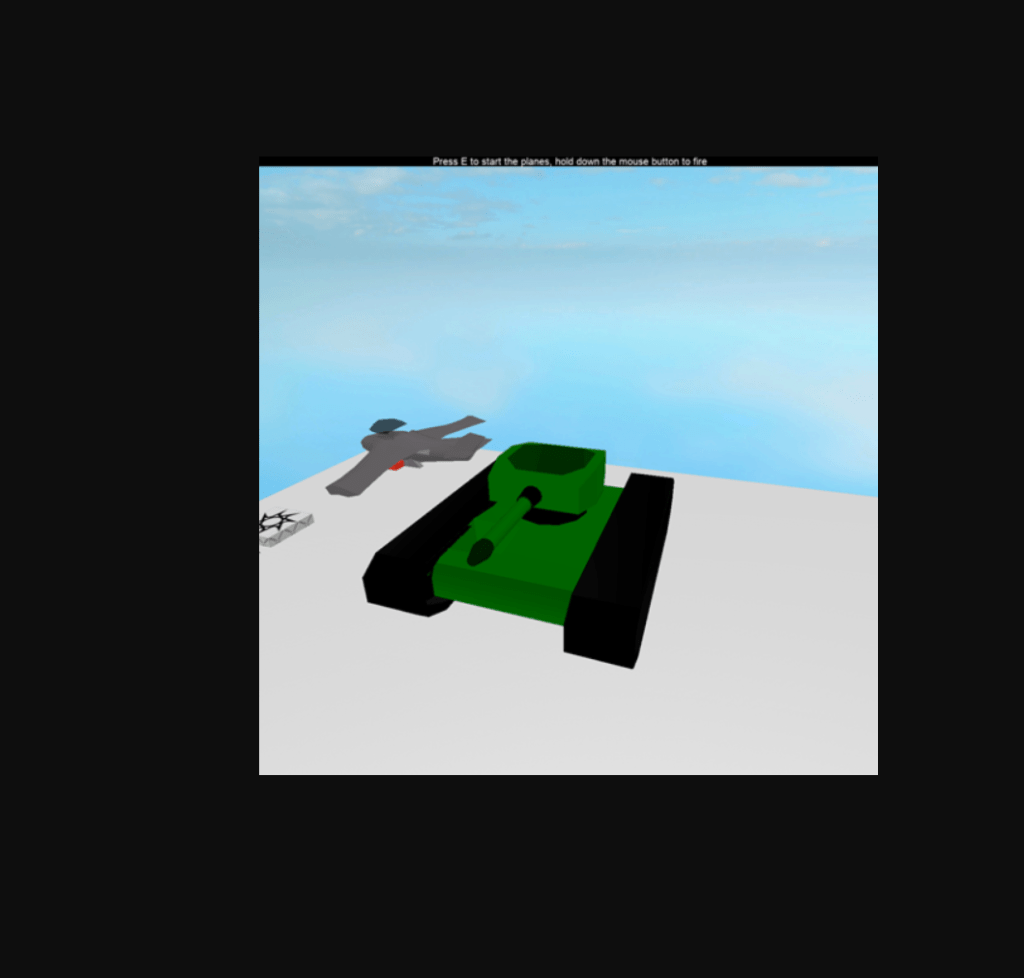
All other things being equal there are some other changes that Roblox made to its graphics engine that without some serious work it would be impossible to go back and get. This includes old shadows, the out click to move mouse cursor, the old forcefield, old GUIs, bevels, the exact way the lighting engine worked, and small things like glue being removed and hints being moved from the bottom to the top of the screen. While some games do try and bring these features back they are rarely featured in games that simply add studs to look retro. As an example, Heli-Wars below did not look like it would burn your eyes back in 2009. Those were Roblox changes that ruined it.

WHAT ENDED THIS ERA
A few things ended the classical look era of Roblox. The first and biggest was materials. They allowed builders to add texture to their games meaning the entire game didn’t need to be either smooth plastic or covered in studs. This started in March 2009 with wood and really was set in stone in September of 2009 with the addition of glass, concrete, and several other materials. The second thing was the addition of the Custom Form Factor in August in 2010. This allowed builders to go wild in how they could resize parts, allowing more detail and freedom than ever before. Around the same time in 2010 people started to make C-Framing easier with C-Frame GUIs that they could use in Build mode.
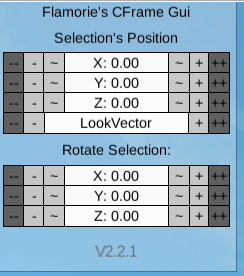
This was quickly followed CmdUtl by Anaminus, which is the basis for the qCmdUtl and SBS building plugins that most builders use to this day. This allowed Builders to fully abandon Build mode and make the permanent switch to Edit mode.

Additionally Roblox continued to add more and more graphic features. New colors, materials, lighting, meshes, particles, and dozens of other features gave builders an ever increasing arsenal of tools, so much that nowadays people can make entire careers just mastering a certain aspect of building.
WHAT IS PROPER STUD USE
So now that all that is out of the way it is time to answer the question most of you are here for: What is proper stud use? The answer is fairly simple. Parts should be built on a 1×1 stud grid so that the inlets on the bottom of a brick line up with the studs on the top.

Additionally, studs on the side of bricks are fine, as long as they are complete studs.

WHAT IS CLASSIC ROBLOX
There is not just one classic Roblox style. Sure, studs were used more often and blocks were more blocky, but that isn’t the whole story. Within old Roblox, even by 2008, there were many different styles emerging. Some people went with what many people consider to be the true classic building style, based on what was featured in Roblox games like Crossroads and Chaos Canyon.
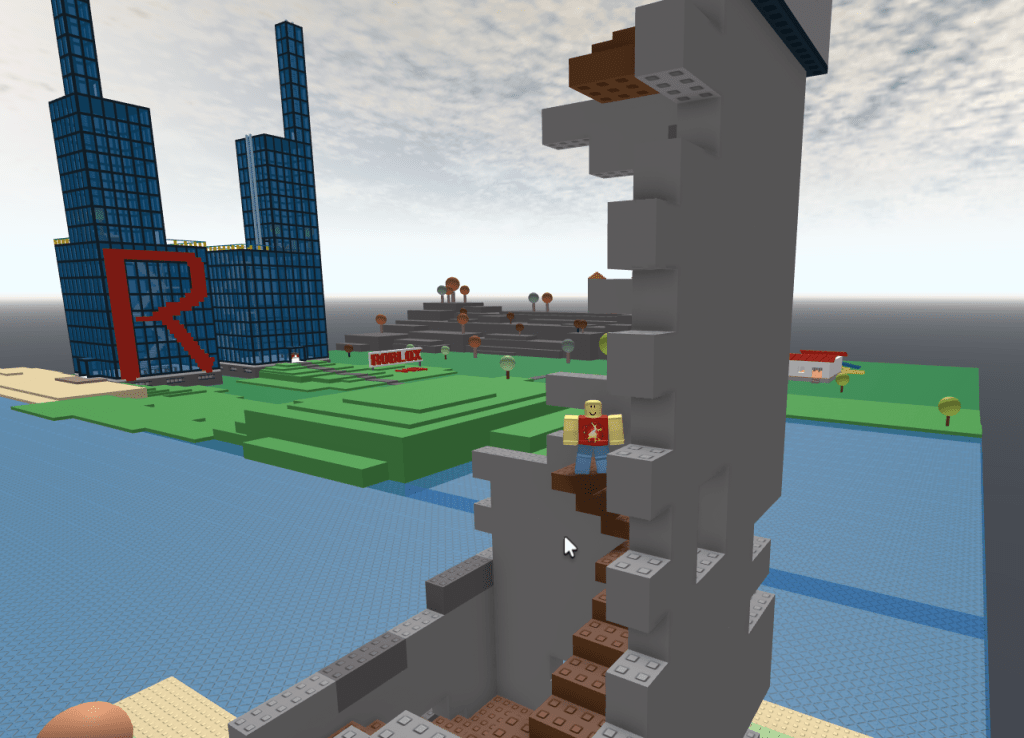
Others embraced the freedom C-Framing had and made wild, but basic, creations like roller coasters and race tracks that while advanced for the time lacked the style of the above and would quickly fall out of memory as newer and objectively better replacements came along.

Other were experimental, making heavy usage of decals/textures in a way we would consider ugly today and would have no true replacements.

And then there were madmen like Stravant who made Tetris and Solitaire before there were GUIs, who pushed the limits for what was possible in Roblox, but whose games are now broken beyond recognition by the gradual breakage of scripts.

Now is there a point to any of this? Well, considering all of these places are older than a decent portion of my followers I hope it serves as a little history lesson on how things used to be aside from the rose colored glasses of a few fan favorites that are referenced. And as someone who was there during this era, who spent the better part of the last week simply going through and playing old games from this era, I hope that this encourages builders trying to capture this style to expand their horizons a bit more.

 WoodReviewerRBX
“Assett reuse” woodreviewer made typo in his blog? My goodness! Think about the integrity you’ve destroyed as a journalist Mr. Reviewer!!!
LikeLike
jokes aside, pretty good insight on this era of building on Roblox. It’d probably serve as a good guide for those who really want to achieve that accurate “retro” style building you see now in roblox
LikeLike
great article, would recommend to builders
LikeLike
Takes notes, Grow a Garden.
LikeLike
Woodreviewer i am your biggest fan, this is such a goated blog post, this website has become my weekly roblox newspaper sort of thing, from XxShinsane2xX
LikeLike
very interesting post! good selection of games used as examples too
LikeLike
this was a very interesting read!
LikeLike
Great content. You’re doing God’s work 🫡
LikeLike
Good read
LikeLike
really neat read, thanks for writing this up
LikeLike
really loved this! very informative
LikeLike